SIKAYD VERITY RP RP Scenario Helper
Pick a mood, morph, location, and conflict beat before you join—printable checklist style, no executors.
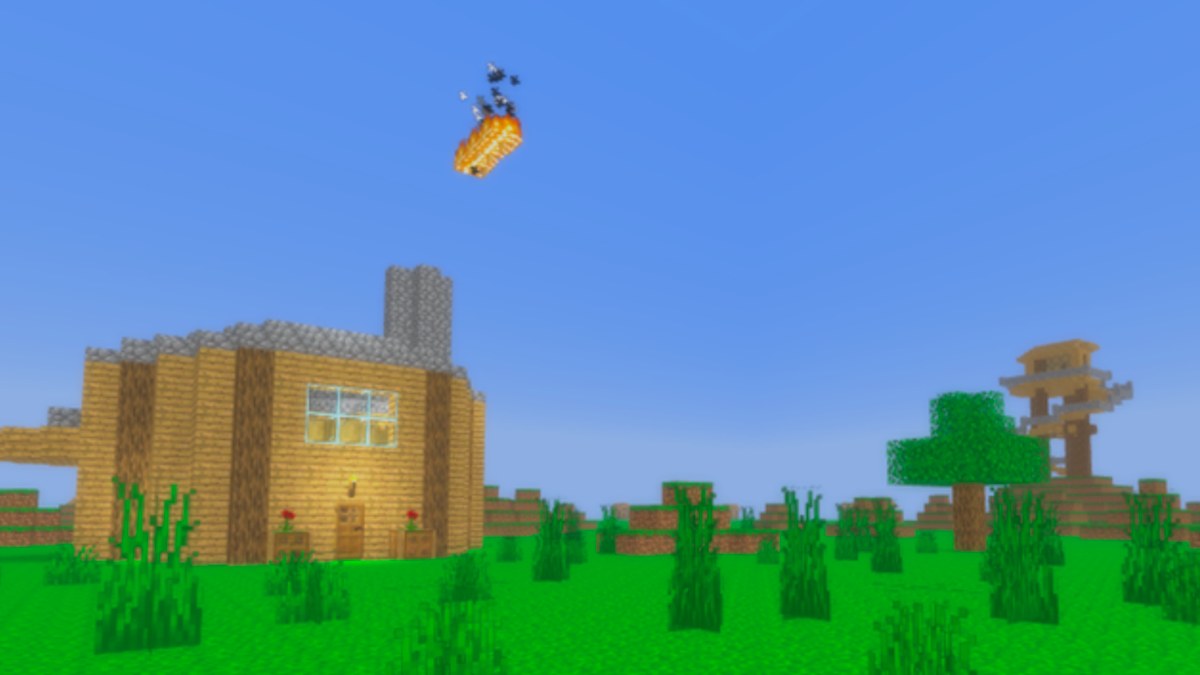
Use this RP Scenario Helper before you morph in SIKAYD: VERITY RP (Place 127329525207941, c00lzerRSolo, released 2026-06-25). It is a markdown checklist, not a Roblox script or React app—read each step, pick one row per table, then join with a plan. Free morph RP works best when you know mood, morph, location, and an optional conflict beat that partners can opt out of. After the July 27, 2026 lookout tower and lighting update, location choices matter more because vertical staging separates comedy, horror, and chill groups.
Pair this tool with How to Roleplay, How to Morph, and deep guides for Verity, ThatMob, and Twixxel on Morphs Hub. Check Morph Tier List if you want style-based morph rankings.
Step 1 — Pick a mood
Choose one primary mood. Mixed is allowed if you declare it OOC at spawn.
| Mood | You want to… | Avoid if… |
|---|---|---|
| Horror | Slow tension, uncanny companion beats | Lobby is mostly chill kids with no opt-in |
| Comedy | Banter, contrast, light absurdity | Partners asked for serious horror OOC |
| Chill | Tours, hangout, onboarding help | You default to jump-scare Verity bits |
| Mixed | Pivot tones with consent checkpoints | You skip OOC signals entirely |
Checklist:
- I stated my mood OOC or in a short greeting
- I am willing to downgrade horror if nobody opts in
- I read Getting Started if this is my first session
Step 2 — Pick a morph
Match morph to mood and lobby gaps—do not stack duplicate jokes.
| Mood | First pick | Second pick | Why |
|---|---|---|---|
| Horror | Verity | ThatMob hosts consent | Verity reads uncanny; ThatMob frames boundaries |
| Comedy | Twixxel | Verity helper | Twixxel reacts; Verity supplies cheerful absurdity |
| Chill | ThatMob | Twixxel | Tours and low-pressure banter |
| Mixed | ThatMob | Verity or Twixxel | Host sets lanes; partners fill contrast |
Lobby gap check:
- If three Verities online, I will pick Twixxel or ThatMob
- If nobody is hosting, I can ThatMob an opt-in tower meetup
- I know morphs grant no admin powers—see Scripts Hub if tempted by fake admin tools
Step 3 — Pick a location
Use July update landmarks when possible.
| Location | Best moods | Setup tip |
|---|---|---|
| Spawn hub | Chill, onboarding | Short greets; move after 30s if crowded |
| Lookout tower platform | Horror, comedy, group | OOC invite; cap group size—see Lookout Tower Guide |
| Tower base (ground sightline) | Comedy, horror split | Twixxel heckles; Verity “monitors” above |
| Quiet side paths | Chill duos, 1x1 | Lower spam risk; good for first partnerships |
| Map roam (pre–better map) | Chill explore | Stay readable; link Map Guide for routes |
Checklist:
- I will not block narrow paths or trap players on rails
- Night scenes use July lighting—partners can see emotes
- I know voicelines and open-mouth Verity are roadmap—not required tonight (Updates Roadmap)
Step 4 — Pick a conflict beat (optional)
Conflict is in-scene tension, not real harassment. Always offer an OOC out.
| Beat | Morph synergy | Sample hook (OOC opt-in first) |
|---|---|---|
| Signal anomaly | Verity + ThatMob | Tower “test” shows weird readings |
| Skeptic vs AI | Twixxel + Verity | Twixxel doubts Verity’s cheerful report |
| Tour gone odd | ThatMob + Verity helper | Wholesome tour hits one uncanny glitch |
| Photo bomb | Twixxel + any | Comedy emote countdown ruined on purpose |
| Mediation | ThatMob + two players | OOC de-escalation before IC drama |
Consent checklist:
- I asked if partners want this beat
- I will stop if someone says OOC no
- I will not target real players with stalking or trauma themes
Step 5 — Run a five-minute session loop
- Morph via official menu (How to Morph)
- OOC pulse — one line: mood + opt-in (“chill tour?” / “horror duo?”)
- Move to location — tower if group; quiet path if 1x1
- Play three beats — setup → complication → release
- Release — “free roam” OOC; switch morph or server if energy mismatches
Repeat or swap to Morphs Hub sibling guides for fresh prompts.
Example filled scenarios (copy and adapt)
Scenario A — Horror duo
- Mood: Horror
- Morph: Verity (you) + ask for Twixxel partner
- Location: Tower platform + base split
- Beat: Signal anomaly with ThatMob OOC consent if third joins
Scenario B — Chill onboarding
- Mood: Chill
- Morph: ThatMob
- Location: Spawn → tower walk
- Beat: None—focus on Getting Started links in chat
Scenario C — Comedy bit
- Mood: Comedy
- Morph: Twixxel
- Location: Tower base
- Beat: Photo bomb after group emote
When not to use this helper
Skip structured beats if the lobby already runs an organic scene—join respectfully instead of hijacking. Do not use tables to justify powerplay, fake staff claims, or executor tricks. There are no codes, no gamepasses, and no badges that shortcut RP quality—Codes Hub stays empty until official promos exist.
Related pages
- Tools Hub — other planners when added
- How to Roleplay — etiquette deep dive
- Verity Morph Guide — horror/helper voice
- ThatMob Morph Guide — hosting frameworks
- Twixxel Morph Guide — duo comedy prompts
- July 2026 Update — tower and lighting context
- Morph Tier List — style rankings
Print this flow mentally each visit: mood → morph → place → beat → release. SIKAYD: VERITY RP remembers players who plan consent-aware scenes—not spam at spawn.
Frequently Asked Questions
Quick answers for SIKAYD: VERITY RP players.
Is the RP Scenario Helper an in-game GUI?
No. It is a wiki page with tables and checklists you follow manually. Morph using the official Roblox experience menu only.
Can I use this for horror without consent?
No. Horror rows assume OOC opt-in and stop signals. Use chill or comedy rows in public mixed lobbies if partners do not agree.
Which morph fits comedy best on this page?
Twixxel is the first comedy pick, often paired with Verity for contrast. See Step 2 tables and the Twixxel morph guide for prompts.
Does the lookout tower appear in every scenario?
No. It is the strongest group location after the July 2026 update, but quiet paths and spawn greets remain valid for chill or 1x1 RP.
Where do I learn more after picking a scenario?
Open the morph guide matching your pick on Morphs Hub, then How to Roleplay for etiquette and Updates Hub for patch changes.